
Available now on the App Store · iPhone & iPad

Set your rota once.
See every shift for years.

RotaDays turns your rotation into a calendar that fills itself. Enter 14/14, 4/4, 2-2-3, DuPont, Panama, early / late / night or a fully custom pattern once — then every work day, day off, travel day and shift time is laid out months and years ahead, and exports straight into Apple Calendar.

Download on the App Store

For iPhone and iPad
No account. No ads. Works offline.

  • Apple Calendar export
  • Works fully offline
  • Data stays on your device
  • Share as text, image or PDF
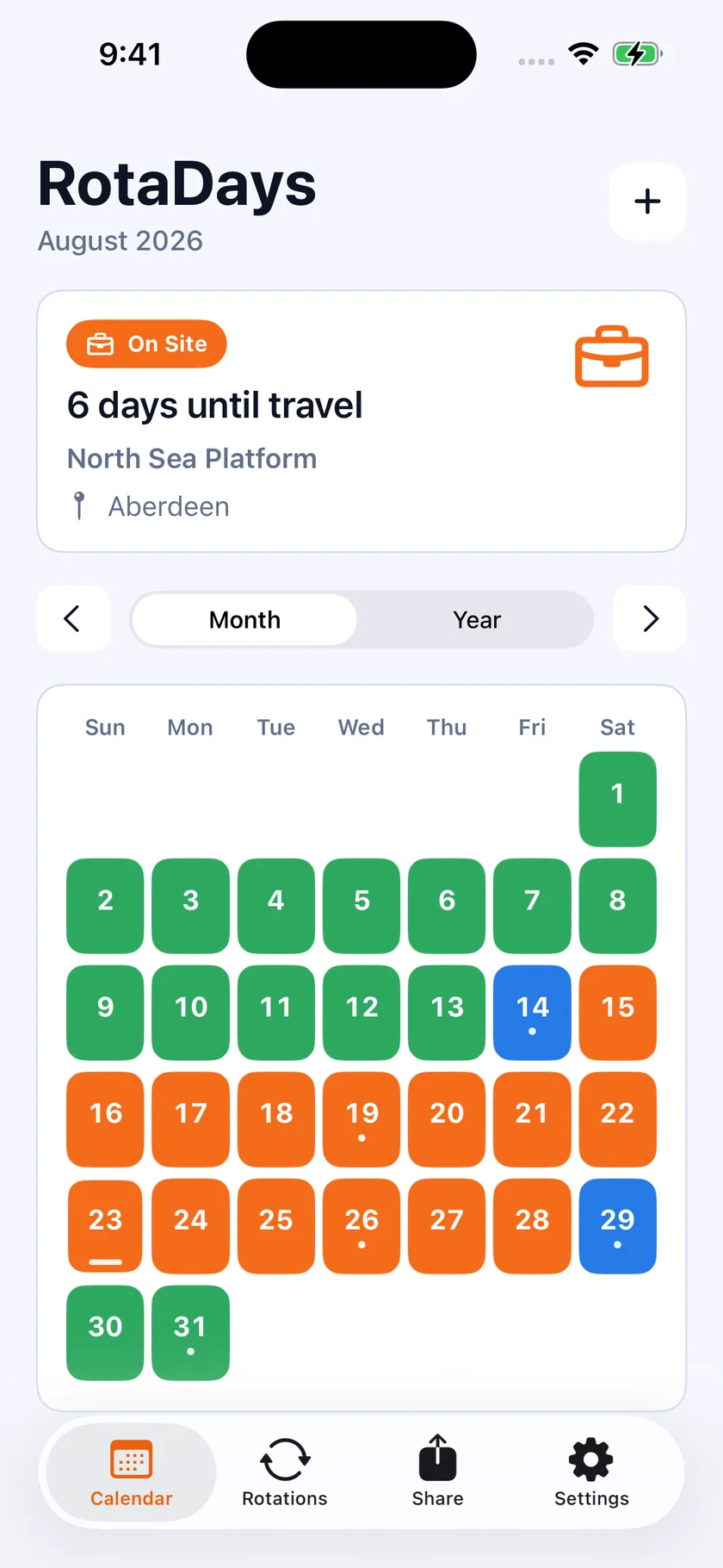
RotaDays month view: August 2026 with a live countdown reading 6 days until travel, and every day coloured as a work day, day off or travel day.
Offshore & rig crews·FIFO·Oilfield & drilling·Continuous shift / Konti·Manufacturing·Maritime·Mining·Aviation & airport crew·Security·Rail & transit·Utilities·Anyone on a repeating schedule· Offshore & rig crews·FIFO·Oilfield & drilling·Continuous shift / Konti·Manufacturing·Maritime·Mining·Aviation & airport crew·Security·Rail & transit·Utilities·Anyone on a repeating schedule·

How it works

Three steps, about a minute.

No spreadsheet, no tapping shifts in one by one. You describe the rhythm; RotaDays does the arithmetic — forever.

  1. 1

    Name the rotation and pick your work

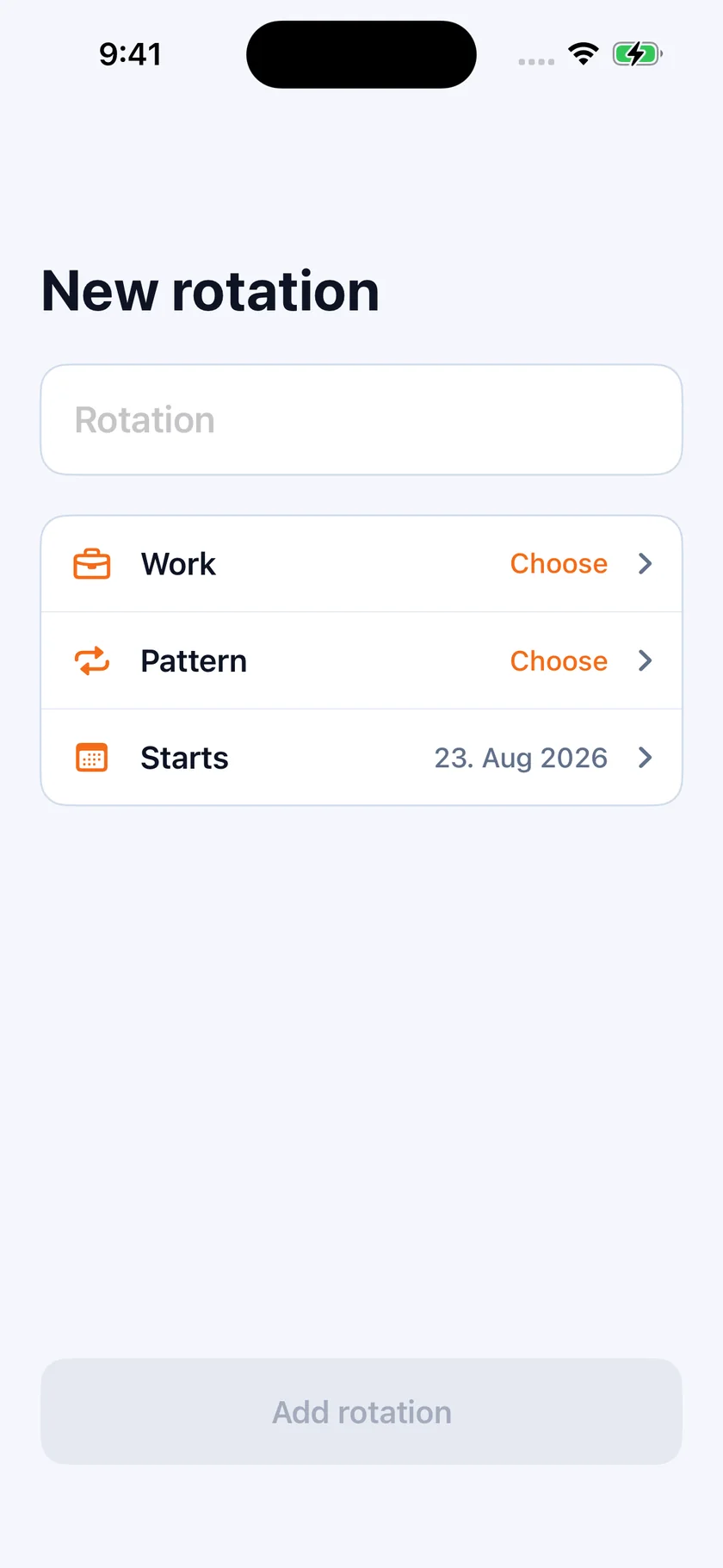
    Give it a name, choose a work type — on site, offshore trip, ward rota, plant shift — and set the day it starts. That is the whole setup screen.

    The New rotation screen in RotaDays with three fields: Work, Pattern and Starts.
  2. 2

    Choose a preset or build the pattern

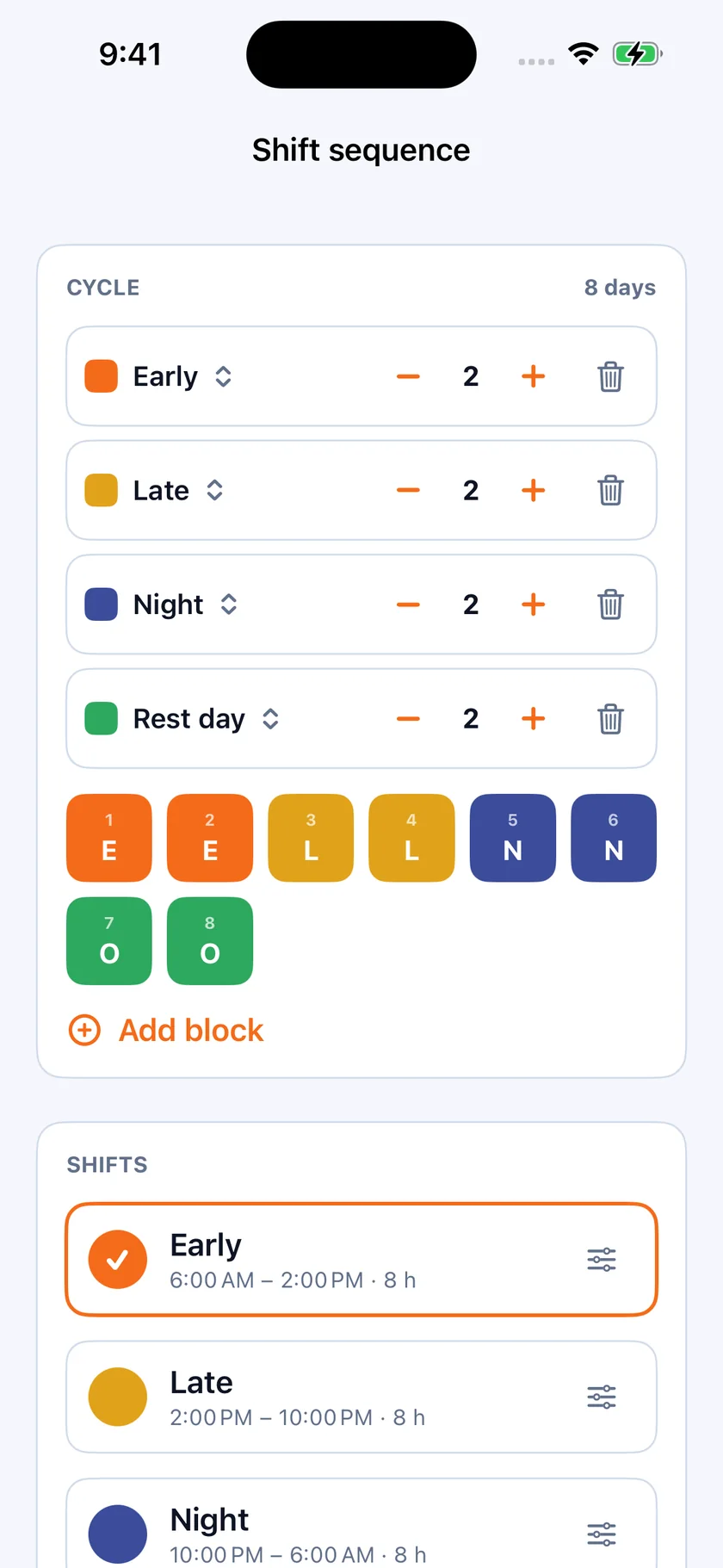
    Pick a ready-made rotation, or build a cycle block by block: how many earlies, how many lates, how many nights, how many rest days — with your own labels, colours and shift times.

    The shift sequence editor: an 8 day cycle built from 2 Early, 2 Late, 2 Night and 2 Rest day blocks, each with its own colour and shift times.
  3. 3

    Your calendar is filled in — for years

    Every work day, day off and travel day appears immediately, with a live countdown to your next change. Scroll forward as far as you like. Then push it all to Apple Calendar or send it to your crew.

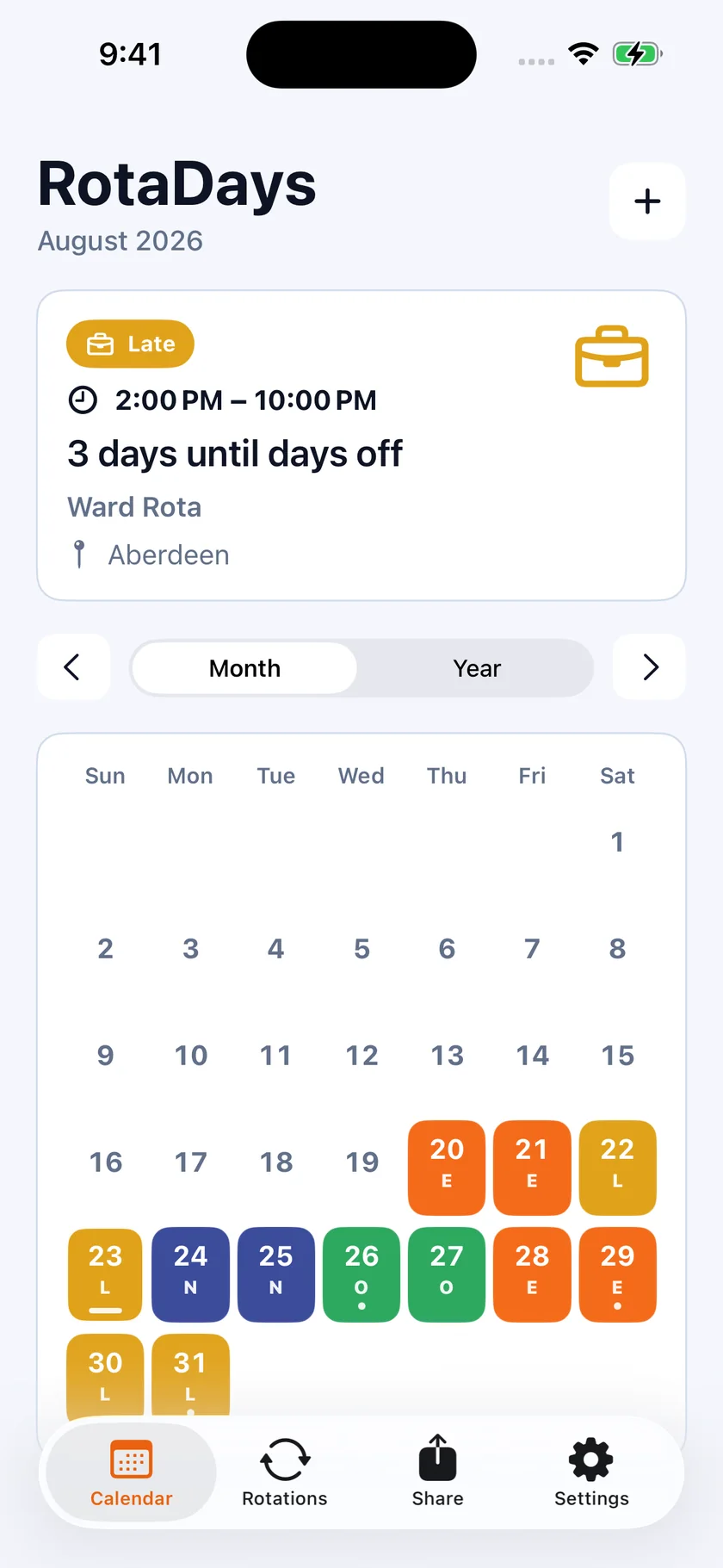
    A RotaDays month with each day labelled E, L or N for early, late and night shifts, and a countdown reading 3 days until days off.

Rotation patterns

Try a pattern. Watch twelve weeks fill in.

This is exactly what RotaDays does the moment you save a rotation. Pick one below — the grid, the cycle maths and your days off per year update live.

14 on, 14 off

The classic offshore and FIFO swing: a full fortnight on the installation, a full fortnight at home.

Cycle length
28 days
Work days per cycle
14
Days off per cycle
14
Days off per year
183
  • Work day
  • Night shift
  • Day off

12 weeks · 84 days, generated from the pattern above

Not listed? Every pattern in RotaDays is editable — set any number of days on and off, mix shift types inside one cycle, or run several rotations side by side.

Features

Built for the way rotations actually work.

Apple Calendar export

Your shifts, in the calendar you already use.

RotaDays writes your rota into Apple Calendar — as far ahead as you choose, up to years in advance. Shifts that have a start time become timed events; days on and days off become all-day events. It appears on your iPhone, iPad, Mac and Apple Watch, and in anything that reads your iCloud calendar.

Your other appointments show up next to your shifts inside RotaDays too, read-only, with clashes flagged. RotaDays never changes them.

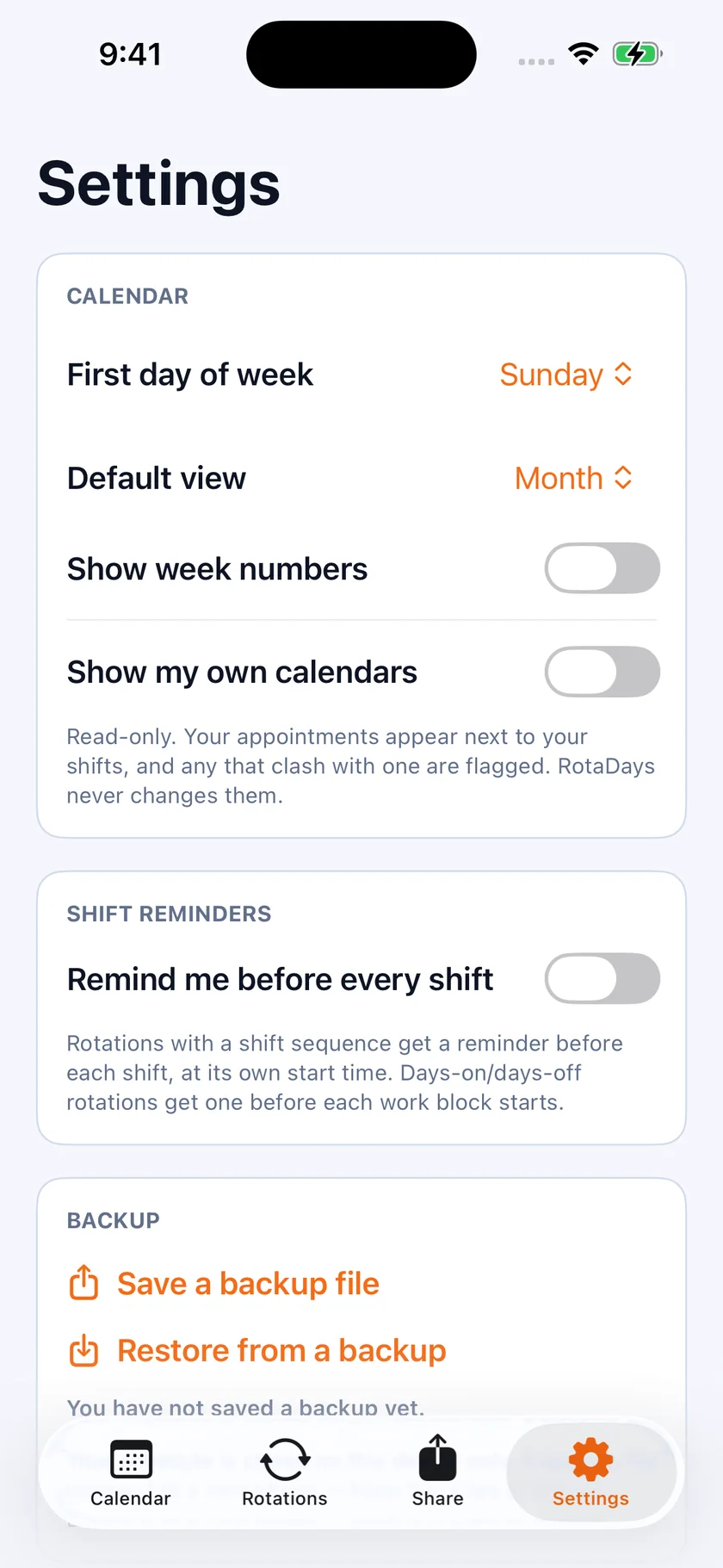
RotaDays settings showing calendar options, shift reminders, backup, and the Apple Calendar export controls.

Share & export

Send the whole year to whoever needs it.

Your crew, your partner, your childminder, your manager. Export a schedule summary as text, this month as an image, or the full year as a PDF — then send it through any app on your phone. Nobody you share with needs the app or an account.

  • Schedule summary as plain text, for a quick message
  • The current month as an image
  • The full year as a PDF
  • A backup file you can save and restore later
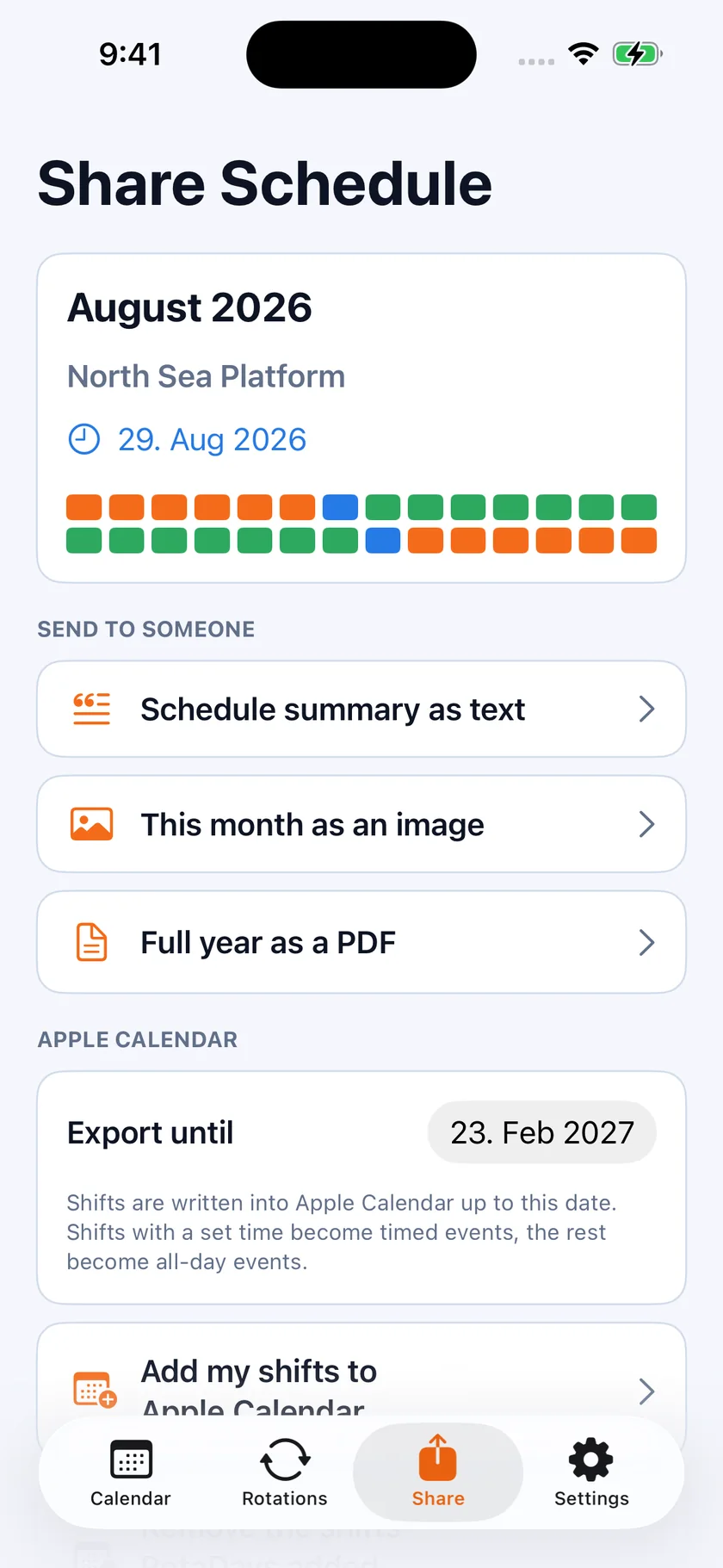
The RotaDays share screen with options to send a schedule summary as text, this month as an image, or the full year as a PDF.

Year view

Twelve months at a glance — book the holiday.

Switch from month to year and the whole rotation lays out in front of you. Find the long break, count the weekends off, check whether that wedding lands on a night shift — without counting days on your fingers.

  • Month view and full-year view
  • Live countdown to the next shift change
  • Week numbers, Sunday or Monday week start
  • Light and dark theme
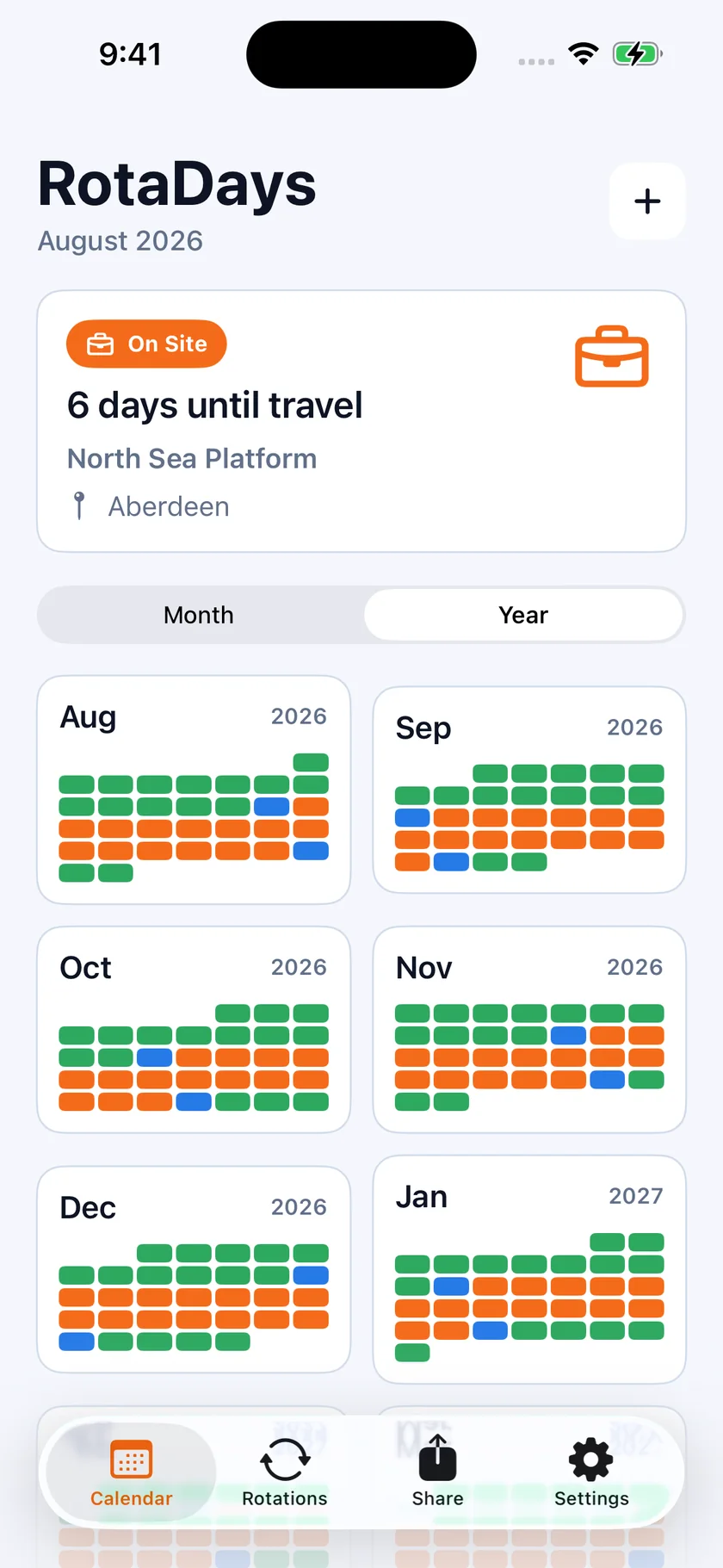
RotaDays year view showing six months at once, each day coloured by work, days off and travel.

Everything in the app

The complete list.

So you can tell in thirty seconds whether RotaDays does the one thing you need it to do.

Rotations & patterns

  • Presets: 14/14, 7/7, 21/21, 28/28, 4/4, 2/2, 2-2-3 (Panama), DuPont
  • Any custom days-on / days-off pattern
  • Shift sequences inside a cycle — early, late, night, rest, or your own
  • Several rotations running at the same time
  • Rotation start date set to any day, past or future
  • Work days, days off and travel days filled in automatically

Calendar

  • Month view and full-year view
  • Live countdown to your next shift change and next days off
  • Per-day detail: shift type, times, location, notes
  • Personal events — paydays, flights, appointments
  • Week numbers and Sunday or Monday week start
  • Light and dark theme

Shifts

  • Custom shift labels and colours
  • Start time and duration per shift, including overnight shifts
  • One-off changes to a single day without breaking the pattern
  • Shift reminders before every shift

Export & share

  • Apple Calendar export, with an end date you choose
  • Your existing calendars shown read-only alongside your shifts, with clashes flagged
  • Schedule summary as text
  • Month as an image
  • Full year as a PDF
  • Backup file you can save and restore

Privacy

  • No account and no sign-up
  • Your schedule stays on your device
  • Works with no internet connection
  • No ads, no cross-app tracking

Platform

  • iPhone and iPad
  • iOS 16 or later
  • Runs entirely on device — nothing to sign in to
  • Your data moves with a backup file, not an account

Private by design

Your roster is nobody else's business.

RotaDays has no account and no login, because it does not need one. Your rotations, notes and events are stored on your device. The app works with aeroplane mode on, in a camp with no signal, and two hundred miles offshore.

FAQ

Straight answers.

Can RotaDays export my shifts to Apple Calendar?

Yes. You choose how far ahead to write — months or years — and RotaDays creates the events in a calendar of your choice. Shifts with a start time become timed events; days on and days off become all-day events. From there they sync through iCloud to your iPad, Mac and Apple Watch. Your existing appointments are also shown inside RotaDays, read-only, and any that clash with a shift are flagged. RotaDays never edits them.

Which rotation patterns are supported?

Presets cover 14/14, 7/7, 21/21, 28/28, 4/4, 2/2, 2-2-3 (Panama) and DuPont. Beyond those you can build any pattern yourself: choose the number of days on and days off, or build a cycle block by block — for example two earlies, two lates, two nights, two rest days — with your own labels, colours and shift times. Continuous-shift and Konti schedules are covered by the custom sequence editor.

Do I need an account or an internet connection?

Neither. There is no sign-up, no email, no password. Your rotations, notes and events are stored on your device, and the app works completely offline — on a rig, in a camp, on a plane.

What does RotaDays cost?

The app is free to download, and the free version runs one rotation and about three months ahead — enough to try it on your real roster. Full Access adds unlimited rotations, the full year, Apple Calendar export, sharing, personal events and custom colours. You can take it as a yearly subscription or as a one-time Lifetime purchase that never renews — no one is forced into a subscription. Both unlock exactly the same features. Current prices are shown in the App Store and in the app, in your own currency, before you confirm. No ads.

Can I run more than one rotation at a time?

Yes. Run a second rotation for a change of crew, a secondary job, a partner's roster, or a pattern that changes partway through the year. They all appear in the same calendar.

Does it handle night shifts and shift times?

Yes. Each shift type has a label, a colour, a start time and a duration, including shifts that run past midnight. A cycle can mix early, late and night blocks in any order, and you can set a reminder before every shift.

What if one day changes — a swap, or a call-out?

Change that single day. The underlying pattern keeps running, so the rest of the year stays intact. You can also add personal events on any day, whether you are working or not.

Can I share my schedule with family or my crew?

Yes. Send a text summary, this month as an image, or the full year as a PDF, through any app on your phone. The person receiving it does not need RotaDays.

Is there an Android version?

Not today. RotaDays is an iPhone and iPad app.

Is my schedule data private?

Your schedule stays on your device. There is no account to attach it to, no ads and no tracking across other companies' apps or websites. The privacy policy sets out the small amount of anonymous usage data the app collects.

Stop counting days on your fingers.

Set the rotation once. RotaDays keeps the calendar for the rest of the contract.

Download on the App Store

For iPhone and iPad · No account required